
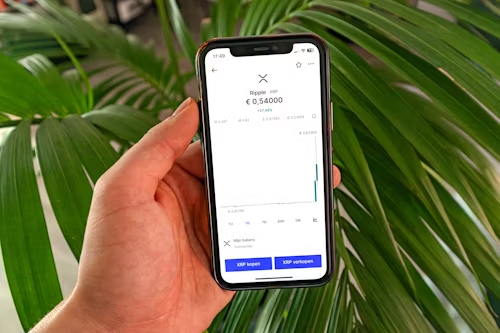
If you have heard about XRP (Ripple) and want to buy it easily on your phone, this guide is for you. Here you will learn how to buy XRP using Trust Wallet, even if you are completely new to cryptocurrency.
You will discover what XRP is, how Trust Wallet works, and how to purchase and store your XRP safely.
What Is XRP?
XRP is the digital currency used by Ripple, a global payment network that helps banks and companies transfer money quickly and cheaply across borders.
Unlike Bitcoin, which was built mainly for peer-to-peer transactions, XRP was designed to make international money transfers faster and more affordable. This makes it popular among investors who believe in its potential in the financial industry.
What Is Trust Wallet?
Trust Wallet is a free, non-custodial crypto wallet app owned by Binance. Trust Wallet gives you full control of your private keys, meaning only you can access your funds, not even the developers. It is available for both iOS and Android from official app stores. It allows you to:
- Store, send, and receive cryptocurrencies
- Buy crypto using credit or debit cards through third-party providers
- Swap between coins directly inside the app
- Access decentralized apps securely
Can You Buy XRP on Trust Wallet?
Yes. You can buy XRP directly in Trust Wallet through the “Buy” feature or by swapping other crypto assets for XRP. However, your options may depend on:
- Your country or region (some providers may not support XRP everywhere)
- The availability of XRP through Trust Wallet’s payment partners such as MoonPay or Simplex
- Whether you already hold another cryptocurrency that can be swapped for XRP
Step-by-Step: How to Buy XRP on Trust Wallet
Here is a beginner-friendly walkthrough of how to buy XRP safely and easily.
Step 1: Download and Set Up Trust Wallet
- Go to the App Store or Google Play Store.
- Search for “Trust Wallet” and install it.
- Open the app and tap “Create a new wallet.”
- Write down your 12-word recovery phrase on paper; do not store it online or share it with anyone.
- Confirm your recovery phrase to finish setup.
Step 2: Enable XRP in Your Wallet
- Open the Trust Wallet app.
- Tap the plus sign or use the token search bar.
- Type “XRP.”
- Toggle the switch to enable it.
Now you will see an XRP wallet address where you can send or receive XRP.
Step 3: Choose How You Want to Buy XRP
There are two main ways to get XRP on Trust Wallet.
Option 1: Buy XRP with a Bank Card or Apple Pay
- Tap the “Buy” button in the app.
- Choose XRP as the token.
- Enter the amount you want to purchase.
- Select a payment provider such as MoonPay, Simplex, or Transak.
- Complete the payment using your credit card, debit card, or Apple Pay.
The XRP will appear in your wallet once the transaction is confirmed. Note, Each provider has its own fees and exchange rates. Check before confirming the purchase.
Option 2: Swap Another Cryptocurrency for XRP
If you already have another crypto asset (like BNB or USDT) in your wallet, you can swap it for XRP.
- Tap “Swap” or “DEX.”
- Select the token you want to exchange (for example, BNB).
- Select XRP as the receiving token.
- Enter the amount and confirm the swap.
This method is usually faster and may cost less than buying with a card.
Step 4: Confirm Your XRP Balance
After your purchase or swap:
- Go back to your main wallet screen.
- You will see your XRP balance displayed.
- Tap XRP to view transaction details, including time, amount, and status.
How to Keep Your XRP Safe on Trust Wallet
Owning cryptocurrency comes with responsibility. Trust Wallet is non-custodial, which means you act as your own bank. Protect your keys like you would protect cash. Follow these steps to keep your XRP secure:
- Never share your recovery phrase, not even with “support” staff.
- Enable app lock or biometric login for extra protection.
- Avoid clicking on unknown links or connecting your wallet to unverified websites.
- Keep the app updated to the latest version.
- Consider backing up your wallet offline.
Alternative Ways to Get XRP if Trust Wallet Does Not Offer It
In some regions, XRP purchases may be temporarily disabled or limited. Here are other ways to get XRP:
- Buy XRP on an Exchange: Create an account on a reputable exchange such as Binance or Coinbase. After buying XRP there, withdraw it to your Trust Wallet address.
- Receive XRP from Another Wallet: Share your XRP wallet address with a trusted friend or business partner. They can transfer XRP directly to your Trust Wallet.
- Use Peer-to-Peer Platforms: Trade with verified users who sell XRP directly. Always use a trusted escrow system and avoid private deals without protection.
What Are the Fees for Buying XRP on Trust Wallet?
Fees vary depending on the method you use.
| Method | Type of Fee | Approximate Amount |
|---|---|---|
| Card Purchase | Provider + Network Fee | 2–5 percent |
| Swap (DEX) | Network Gas Fee | Variable (usually low) |
| Receive XRP | None | Free |
Frequently Asked Questions (FAQs)
1. Is it safe to buy XRP on Trust Wallet?
Yes. Trust Wallet is a secure, non-custodial wallet used by millions of people. Download it only from the official app store and keep your recovery phrase private.
2. Can I sell XRP on Trust Wallet?
You can swap XRP for other cryptocurrencies within Trust Wallet. To convert it to fiat currency such as USD or EUR, transfer it to a crypto exchange that supports XRP withdrawals.
3. Why can’t I find XRP in my Trust Wallet?
If XRP does not appear in your list, tap “Add Tokens” and enable it manually. Make sure your app is up to date. In some regions, XRP access may be limited.
4. How long does it take to receive XRP after buying?
Usually, it takes a few minutes to a few hours depending on network traffic, payment-provider verification, and your region or bank approval.
5. What if my XRP does not show up?
If your transaction is confirmed but XRP is missing:
- Refresh your wallet
- Check the transaction hash on a Ripple blockchain explorer such as Bithomp.com
- Contact the payment provider’s support team with your order ID
Tips for Beginners Investing in XRP
- Start small and invest only what you can afford to lose.
- Stay updated on XRP news and Ripple’s official announcements.
- Watch out for scams; no legitimate project will ever ask for your private keys.
- Learn the basics of blockchain, wallets, and how transactions work.
The Future of XRP
Despite ups and downs, XRP continues to be a strong project focused on cross-border payments and real-world financial use. With Ripple forming partnerships with banks and payment networks globally, XRP remains one of the most established digital assets today.
If you believe in its mission and want to hold it securely, Trust Wallet offers a simple and safe way to start.
Pingback: What Makes ChainRetrieval Different from Other Recovery Services? | Chain Retrieval
Pingback: The ChainRetrieval Crypto Recovery Process: How to Recover Lost Cryptocurrency Safely | Chain Retrieval